OPTION 1
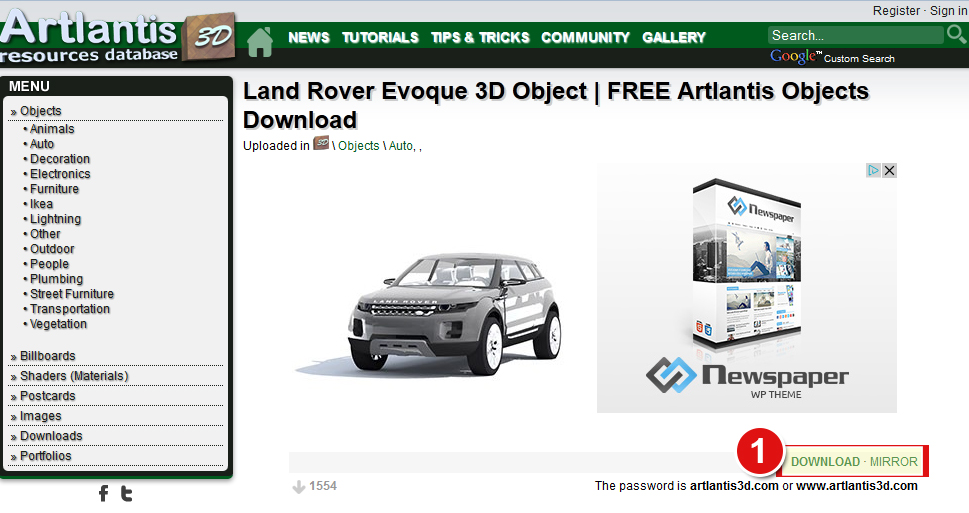
1. Find the DOWNLOAD link on the object's page.
(There are 2 links: Download and Mirror; you can use any of them, except that using the Mirror link you must have an account on 4shared.com)
2. After you click on the DOWNLOAD link, a page will open. You must click the DOWNLOAD button on this page and the download will start.
(If the server is out of bandwidth, you can use the MIRROR link, explained below as Option 2...)

OPTION 2
1. Go to www.4shared.com and 'Sign Up'. After you sign up on 4shared.com, log in.
2. Come back to artlantis3d.com, find the MIRROR link on the object's page (on the right of the download link) and click on it.
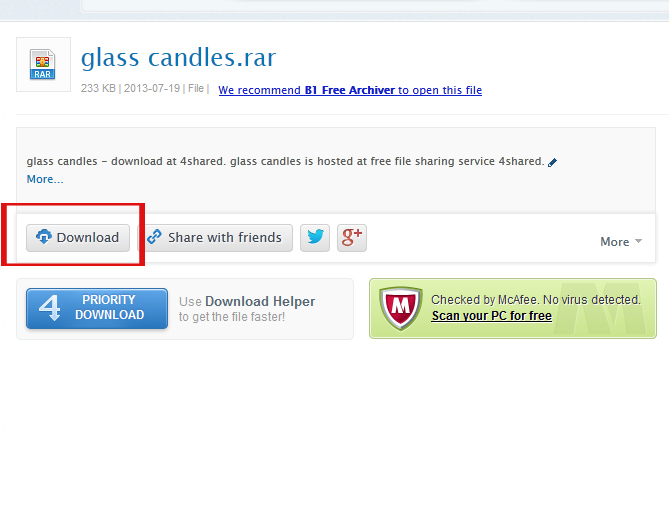
3. After you click on the link, a page will open. Click the DOWNLOAD button on this page.
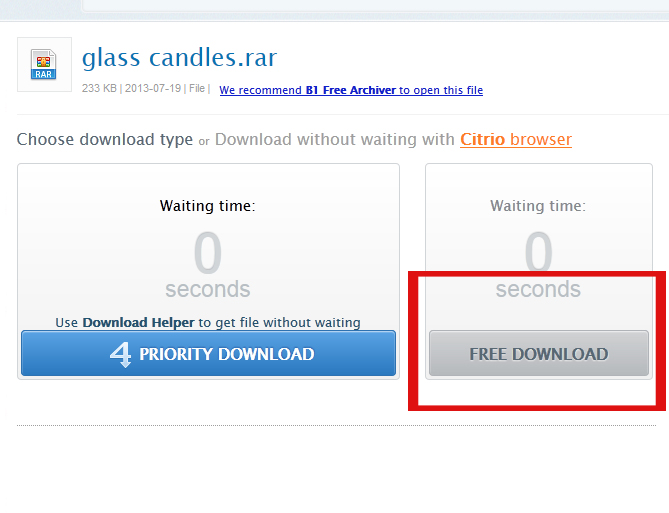
4. Depending on the account type you have on 4shared.com, you may need to click again on a download button and to wait 20 seconds before your object starts to download...
AFTER DOWNLOADING
After the file is downloaded you must extract the file (you can use WinRAR or 7-Zip for this, both are free).
PASSWORD
The password is artlantis3d.com or www.artlantis3d.com

downloading not easy